

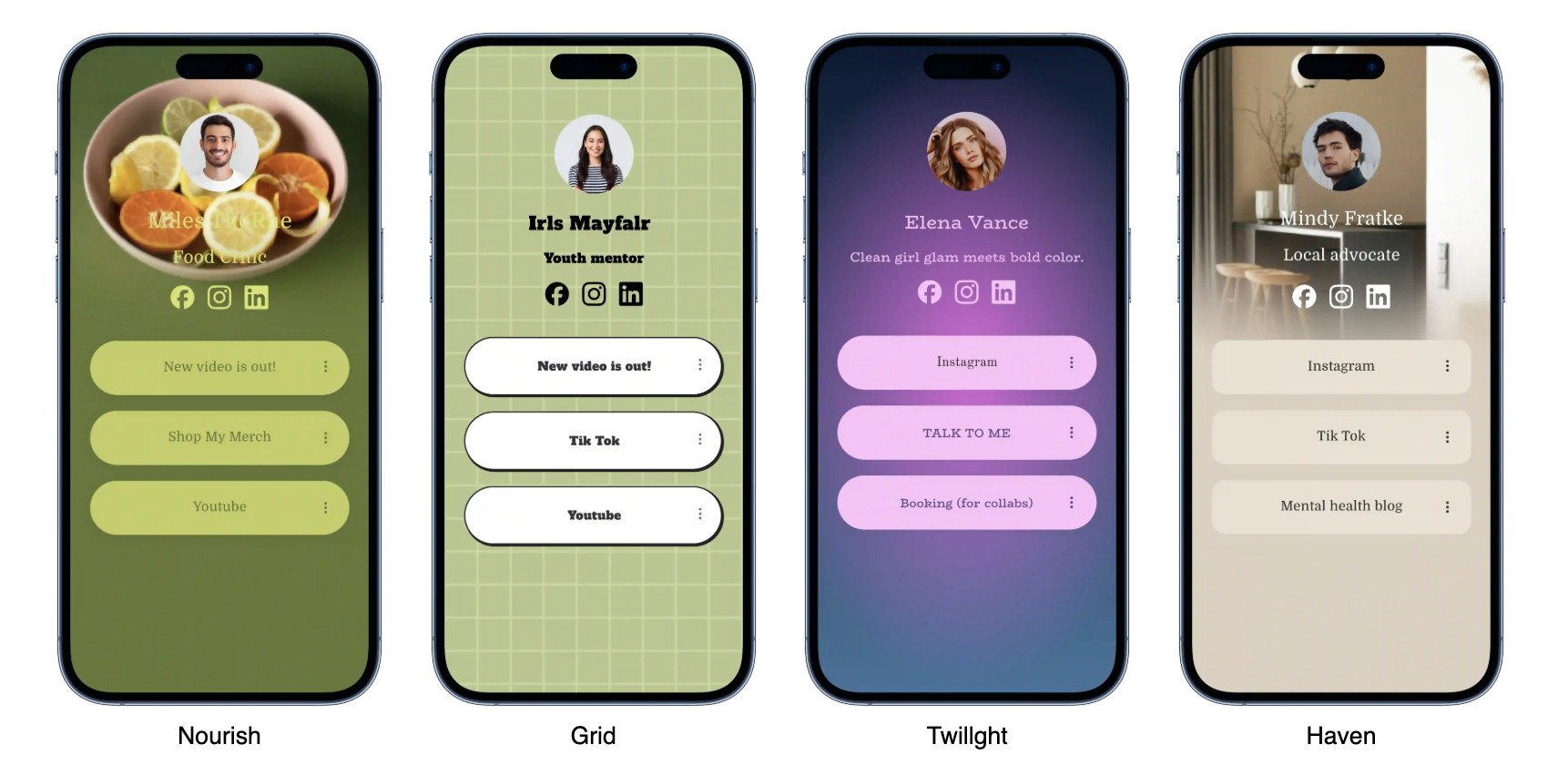


How to Create a Link in Bio with HoLink
Having one single bio link that can hold multiple links at once is a need almost every social media creator has today. Instead of stacking long, hard-to-remember URLs, we can direct our audience to one neat page containing all the important links — from an online store, a portfolio, to a live streaming schedule. In this article we’ll cover how to build a link in bio using HoLink, a tool that has recently become popular among Indonesian creators.
Before we start, it helps to understand the basic concept of a link in bio itself, since several HoLink features are specifically designed to solve issues that are often overlooked yet actually crucial for engagement, such as loading speed and mobile display. You can read the official details on the HoLink official site, or jump straight to the setup steps section below.
What Is a Link in Bio?
Technically, a link in bio is a mini landing page that houses many links within a single URL. This element is usually written with a tag like <a href="..."> behind the scenes, though from the user’s side it all appears as neat buttons. Some platforms even support version numbering like H2O as a structural analogy, or superscripts like in the date 21st Century Marketing.

Why Not Just a Plain List of Links?

The main difference lies in the visual experience and analytics. HoLink offers per-link click statistics, theme customization, and integration with Instagram and TikTok. This means creators no longer need to guess which link their audience clicks most often. On top of that, fast page loading keeps visitors from closing the tab before they even get to tap the button they were looking for, which significantly boosts conversion potential compared to older methods.
Steps to Create a Link in Bio
Here are the general steps you need to take:
- Sign up for a HoLink account using your email or Google account.
- Choose a base template that fits your content niche:
- Minimalist Template
- Music Creator Template
- Online Store Template
- Add your links one by one, complete with titles and icons.
- Arrange the link order based on priority.
- Publish and copy the URL into your social media bio.
Besides the steps above, there are a few supporting elements you should prepare:
- A high-resolution profile photo
- A short description (maximum 80 characters)
- A theme color consistent with your branding, including:
- Primary color
- Accent color

HoLink theme editor — choose colors and fonts before publishing.
Key Terms You Should Know
- CTA (Call to Action)
- A button or text that prompts visitors to take a specific action, such as “Buy Now.”
- CTR (Click Through Rate)
- The percentage of visitors who click a link out of the total number of page visitors.
- Deep Link
- A link that takes users directly to a specific page inside an app, rather than just to the home screen.
HoLink Plan Comparison
| Plan | Number of Links | Analytics | Price/Month (USD) |
|---|---|---|---|
| Free | 5 | Basic | 0 |
| Creator | 20 | Full | 2 |
| Business | Unlimited | Full + Export | 5 |
A good link in bio isn’t about how many links you cram in, but how quickly your audience finds what they’re looking for.
— HoLink Product Team
Example Meta Tag Implementation
If you want to add schema markup so your HoLink page gets indexed better by search engines, here’s an example JSON-LD snippet you can insert in the <head> section:
<script type="application/ld+json">
{
  "@context": "https://schema.org",
  "@type": "ProfilePage",
  "name": "Creator Bio - HoLink",
  "url": "https://holink.com/username",
  "sameAs": [
    "https://instagram.com/username",
    "https://tiktok.com/@username"
  ]
}
</script>
Info: You can switch HoLink templates anytime without losing the click statistics you’ve already collected.
Warning: Don’t add affiliate links without clear disclosure, as some social media platforms may limit the reach of accounts found violating their advertising policies.
Conclusion
Creating a link in bio with HoLink is actually quite simple — just set aside about 15–20 minutes for the initial setup. After that, you just need to update your link list as your content needs change. Good luck, and hope your engagement grows! ©️ 2026 — don’t forget to check for feature updates regularly →
Example special characters for encoding testing: café, naïve, 5th Cikutra Street, emoji 🚀✨📌, smart quotes “clever”, and math symbols Σ, π.