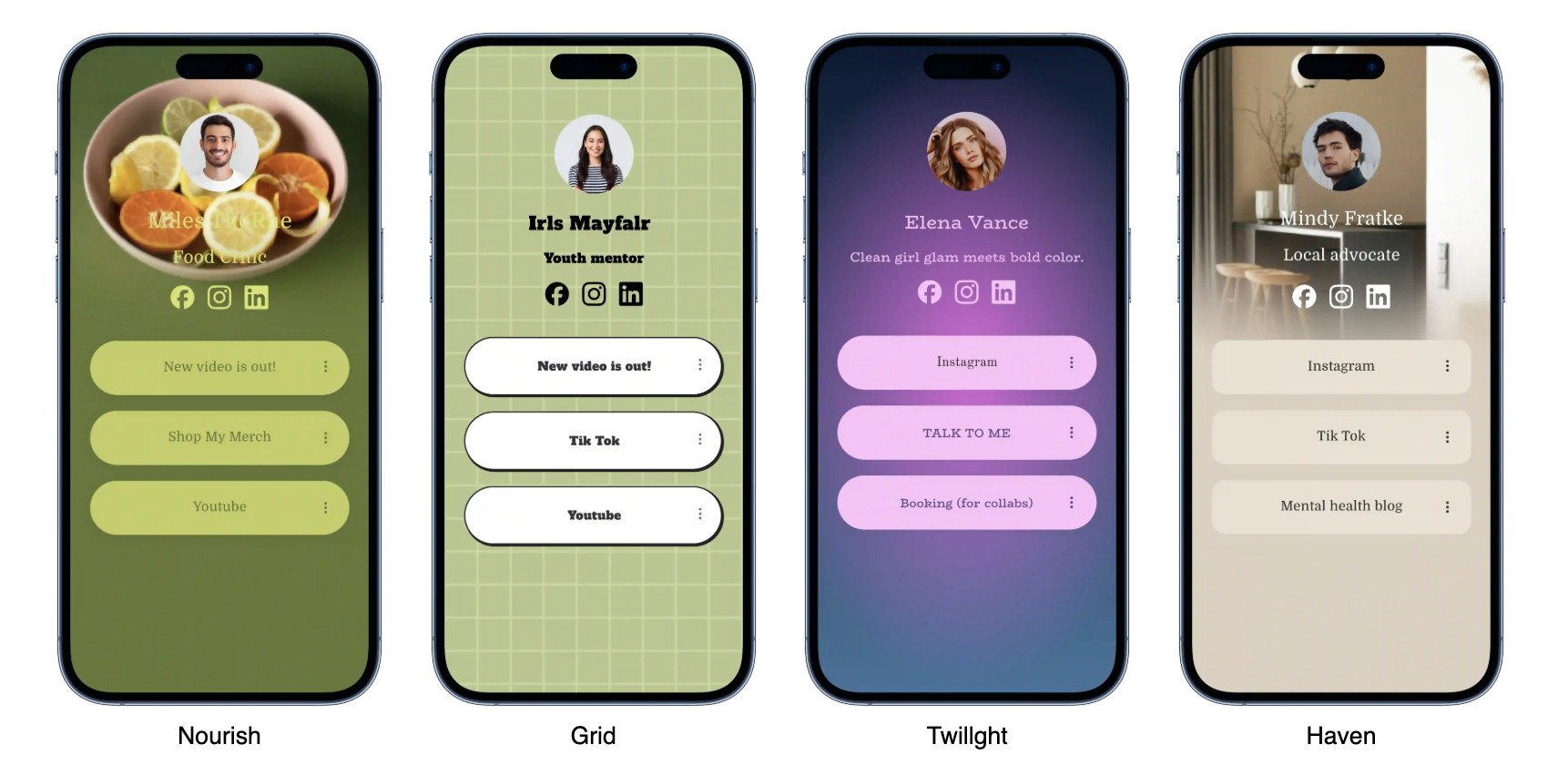



Holink Template is the visual foundation of every bio link page you create on this platform. For new users, choosing the right template is often the most confusing first step. In fact, a template is not just about the look — it determines how visitors read and interact with your bio page. Before getting into technical details, it’s best to first understand why this template choice shouldn’t be done carelessly, especially if the final goal is conversion.
For example, the average loading time of an ideal landing page is around 1.2 seconds[1] — much faster than the older template version v1-legacy that is still widely used. For complete performance score details, you can check directly through PageSpeed Insights, or jump to section template feature comparison below.
Why is this template important?
Template that is complex and too heavy can actually lower page performance. From a technical perspective, each template stores core configuration in attributes such as data-template-id, which is then automatically read by the Holink rendering system. Besides performance, the template also affects how visitors form a first impression of your brand — the choice of color, typography, and spacing between elements all contribute to how long someone stays on the page before eventually clicking one of the available links.
Types of Templates in Holink
Overall, templates on Holink are divided into three main categories based on user needs. Each category is designed with a different content block structure, so users do not need to manually customize from scratch every time they want to change the look and feel of their page.
Portfolio Template
This template is designed for creators who want to showcase visual work directly on the homepage. It is suitable for photographers, designers, or illustrators who rely on the first impression of their work gallery. Its layout is usually grid-based with ample space between elements.
Business Template
Focused on call-to-action and lists of product or service links, this template usually includes a testimonial section and direct contact.
Personal Brand Template
A combination of storytelling and social media links, suitable for public figures or content creators.
- Portfolio
- Gallery Grid
- Video showcase
- Business
- Personal Brand
How to Choose the Right Template
Align with the Purpose
Before choosing, determine first what the main purpose of your bio page is—whether it is for selling, a portfolio, or personal branding. This purpose will determine which elements should be prioritized, such as the number of CTA buttons, space for a gallery, or the testimonial section.
Pay Attention to Loading Speed
Comparison of loading speeds between templates.
- Check the built-in template image file sizes
- Test with PageSpeed Insights
- Record the mobile score
- Record the desktop score
- Compare with alternative templates
- Hreflang
- An attribute that indicates the language version of a page for search engines.
- Canonical Tag
- Primary URL indicator when there are multiple similar page versions.
Template Feature Comparison
| Template Name | Category | Loading Time (seconds) | Number of Content Blocks |
|---|---|---|---|
| Aurora | Portfolio | 1.1 | 6 |
| Nimbus | Business | 1.4 | 9 |
| Solace | Personal Brand | 0.9 | 5 |
User Feedback on the Holink Template
Since switching to the Aurora template, my page loading time has dropped significantly and visitor engagement has increased as well.
— Holink User, Portfolio category
Technical Details for Developers
Each template embeds JSON-LD based structured data so search engines can read page context more accurately.
<script type="application/ld+json"
{
  "@context": "https://schema.org",
  "@type": "ProfilePage",
  "name": "Holink Bio Page",
  "template": "Aurora",
  "inLanguage": "id-ID"
}
</script>
ℹ️ Info: The template can be changed at any time without losing previously saved link data.
⚠️ Caution: Some older templates are no longer supported and no longer receive security updates.
Get Started
Ready to explore the template that best suits your needs? © 2026 Holink — all templates are designed for peak performance, from desktop → mobile, with a clean look even on the smallest screens. The template replacement process is instant without any extra coding, so you’re free to experiment until you find the perfect look for your audience. Give it a try! 🚀